
In the fast-paced world of modern business, staying ahead of the competition requires efficiency and smart use of technology.
Task automation apps have emerged as powerful tools to help individuals and teams streamline their workflows, minimize repetitive tasks, and boost overall productivity. These apps use advanced technology to automate manual processes, giving you more time to focus on creative and strategic tasks.
In this article, we’ll explore how task automation tools can transform your workflow, the key features to look for in task automation apps, and the best options available to help you boost productivity in 2026.
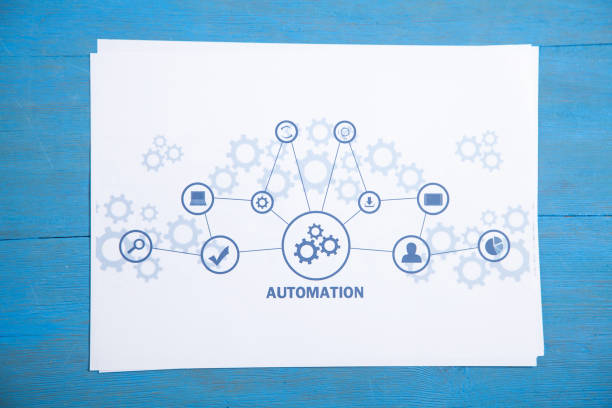
What Are Task Automation Apps?
Task automation apps are software tools designed to automate repetitive tasks and workflows, allowing you to save time and reduce the chance of errors.
These apps can integrate with various systems, applications, and processes, enabling you to create automated workflows that trigger specific actions without needing manual intervention.
Examples of tasks that can be automated include:
- Email marketing campaigns
- Social media scheduling
- Data entry and synchronization
- Invoice generation and tracking
- File management and backups
By automating these tasks, businesses and individuals can focus on more value-driven activities, improving efficiency and productivity.
Why Task Automation Apps Are Essential for Productivity
The need for task automation apps is growing, especially as businesses face increasing pressure to perform faster and more efficiently. Here are some key reasons why automation is essential for boosting productivity:
Save Time
One of the most significant benefits of task automation apps is the time they save. Automating repetitive tasks such as data entry, email marketing, and report generation allows you to free up time for more strategic activities. You no longer have to spend hours on menial tasks, allowing you to focus on what truly matters.
Reduce Errors
Manual tasks are prone to human error, especially when they involve repetitive data entry or calculations. Task automation apps eliminate the risk of errors by executing tasks based on predefined rules. This leads to more accurate results and fewer mistakes.
Improve Consistency
Automation ensures that tasks are completed consistently and according to the same standards every time. Whether it’s sending out email campaigns or processing orders, automation apps follow the same process each time, ensuring that results are reliable and predictable.
Increase Collaboration
Many task automation apps are designed to integrate with other tools and systems, allowing teams to collaborate more effectively. By automating certain workflows, team members can work together without worrying about manually transferring information or tracking tasks, leading to smoother collaboration and communication.
Enhance Focus and Creativity
With mundane tasks automated, you can redirect your focus toward more high-value work. Creative thinking, problem-solving, and innovation become the priority when you’re not bogged down with repetitive tasks. This enhances overall productivity and satisfaction, both for individuals and teams.
Key Features to Look for in Task Automation Apps
When selecting task automation apps, there are several important features to consider that will help you get the most out of the software:
Ease of Use
The best automation apps are easy to use, even for individuals who aren’t tech-savvy. A clean, intuitive interface ensures that users can set up automations quickly and without hassle. Look for apps that offer drag-and-drop functionality or simple setup wizards to get started.
Integration Capabilities
For maximum efficiency, task automation apps should integrate with other software and tools that you already use. Whether it’s your CRM, project management software, or social media platforms, seamless integration ensures that your workflows are connected and that information flows freely between systems.
Customization Options
Your business processes are unique, so your task automation app should allow you to customize workflows to fit your specific needs. Look for apps that offer flexible rule creation, triggers, and actions, so you can tailor automations to your requirements.
Triggers and Actions
Triggers and actions are the backbone of task automation apps. A trigger is an event that starts the automation, while an action is what happens next. For example, a trigger could be when a customer makes a purchase, and the action could be sending them a confirmation email. Choose an app that offers a wide range of triggers and actions to cover all aspects of your workflow.
Analytics and Reporting
Some task automation apps come with built-in analytics and reporting features. These tools help you track the performance of your automations, so you can identify areas for improvement and measure success. Analytics can also provide valuable insights into how time is being saved and which tasks are benefiting the most from automation.
Scalability
As your business grows, your automation needs will likely change. Choose an app that can scale with your business, allowing you to automate more complex processes or integrate with new tools as your team expands.
Best Task Automation Apps for Boosting Productivity in 2026
There are several great task automation apps available today that can help you boost productivity and streamline your workflows. Here are some of the top options to consider for 2026:
Zapier
Zapier is one of the most popular task automation apps on the market. It allows you to connect over 2,000 apps and automate workflows between them. With Zapier, you can create custom “Zaps” to trigger actions across various tools, such as automatically posting to social media, adding new contacts to your CRM, or updating spreadsheets.
Key Features:
- Over 2,000 app integrations
- Multi-step workflows
- Easy-to-use visual editor
- Advanced filters and conditions
Zapier is perfect for businesses that need to automate complex workflows across multiple platforms.

IFTTT
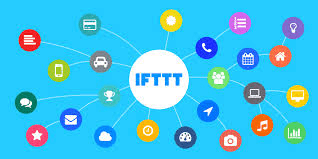
IFTTT (If This Then That) is a user-friendly automation tool that connects different apps and devices to perform tasks automatically. Whether you want to automate social media posts, send alerts, or trigger smart devices, IFTTT offers a wide variety of pre-built “applets” that can be customized to suit your needs.
Key Features:
- Pre-built applets
- Supports over 600 apps and devices
- Customizable triggers and actions
- Integration with smart home devices
IFTTT is ideal for personal use or small businesses looking to automate basic tasks with ease.
Trello Automation (Butler)
Trello’s Butler is a built-in task automation app that allows you to automate tasks within your Trello boards. With Butler, you can set up rules to automate tasks like moving cards, adding checklists, or sending notifications when certain conditions are met.
Key Features:
- Automated card management
- Customizable rules and triggers
- Built-in integration with Trello
- Easy setup with no coding required
Trello Butler is a great option for teams already using Trello for project management who want to add a layer of automation to their boards.

Monday.com Automations
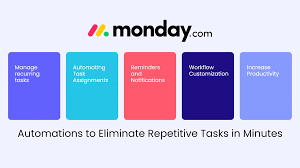
Monday.com offers built-in task automation apps that help you automate workflows for project management, communication, and collaboration. With Monday.com’s automations, you can set triggers and actions to streamline tasks and improve efficiency.
Key Features:
- Automated task assignments
- Real-time notifications
- Customizable workflows
- Easy integration with other tools
Monday.com is ideal for teams that need a robust project management platform with advanced automation features.
How to Implement Task Automation in Your Workflow
Once you’ve chosen the best task automation app for your needs, it’s time to implement it. Here’s a simple guide to getting started with task automation:
Identify Repetitive Tasks
Start by identifying the tasks that consume the most time and are repetitive in nature. These are the tasks that can be automated first.
Choose the Right App
Based on your team size, workflow complexity, and specific needs, select the task automation app that best fits your requirements. Consider factors like integrations, scalability, and ease of use.
Create Automations
Set up your first automations by defining triggers and actions. For example, you could automate a process that creates a new task in your project management app every time an email is received.
Test and Optimize
Once your automations are set up, test them to ensure everything is working as expected. Monitor their performance over time and make adjustments as needed to optimize efficiency.
Conclusion
Task automation apps are powerful tools that can significantly boost your productivity by reducing manual tasks and streamlining workflows. By automating repetitive tasks, you can focus on more strategic and creative work, saving both time and effort. Whether you choose Apple Time, Zapier, IFTTT, or Monday.com, implementing automation into your workflow is a surefire way to enhance efficiency and performance.
Start using task automation apps today and experience the benefits of a more productive and efficient workflow.
Sources:
- Zapier – Zapier
- IFTTT – IFTTT
- Monday.com – Monday.com
