
In today’s competitive business environment, small businesses need every advantage they can get to stay ahead.
One such advantage is using CRM apps (Customer Relationship Management apps), which can significantly improve your sales processes and streamline business operations. A good CRM app helps you manage customer interactions, track leads, and ultimately increase sales and customer retention.
In this article, we will explore the best CRM apps for small businesses, how they can improve your sales, and what features you should look for to enhance organization and productivity.
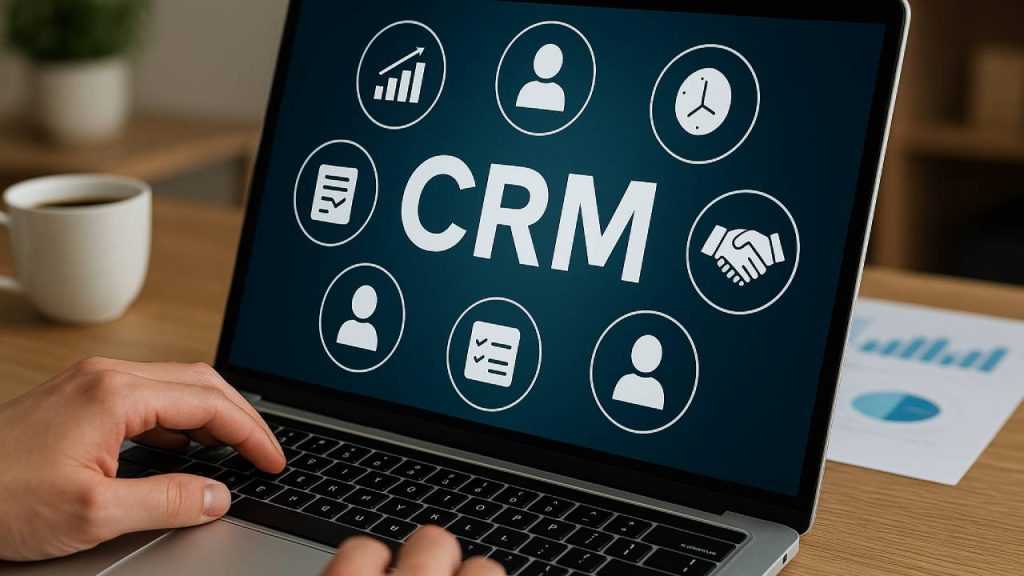
What is a CRM App?
A CRM app is a software tool designed to help businesses manage their interactions with current and potential customers. It allows small businesses to store customer information, track interactions, and analyze customer data to improve decision-making and customer satisfaction.
CRM apps typically offer features like:
- Contact management: Store customer details in one place for easy access.
- Sales tracking: Monitor sales activities and progress.
- Lead management: Capture and track leads to convert them into customers.
- Email marketing: Automate marketing campaigns to engage customers.
- Reporting and analytics: Analyze customer behavior, sales trends, and business performance.
By using a CRM app, businesses can improve customer relationships, increase sales, and create more personalized experiences for their customers.
Why Small Businesses Need a CRM App
Small businesses often juggle many tasks, and managing customer relationships can quickly become overwhelming without the right tools. Here’s why CRM apps are a must-have for small businesses:
Streamline Customer Communication
A CRM app allows you to centralize all customer communication in one platform, making it easier to manage emails, phone calls, meetings, and other interactions. This streamlines communication and helps ensure no leads or customers fall through the cracks.
Improve Sales Management
Tracking sales progress and managing leads is crucial for growing your business. CRM apps provide tools to track every step of the sales process—from the initial lead capture to closing the deal. With features like sales pipeline management, businesses can stay on top of their sales activities and ensure that no opportunities are missed.
Increase Customer Retention
A good CRM app helps you understand your customers’ needs, preferences, and purchase history. By having this data at your fingertips, you can personalize your interactions and improve customer satisfaction, ultimately boosting retention rates and increasing repeat business.
Boost Efficiency and Productivity
Without a CRM app, managing customer relationships can become time-consuming and chaotic. A CRM centralizes all the information you need to interact with customers effectively. With automation features like task reminders, follow-ups, and email campaigns, you can save time and improve productivity.
Data-Driven Decisions
A CRM app provides valuable insights into customer behavior and sales trends through reporting and analytics. This data can help you make informed decisions, predict future sales, and tailor marketing strategies to attract and retain the right customers.
Key Features to Look for in a CRM App
When choosing a CRM app for your small business, it’s important to select one that aligns with your business needs. Here are some key features to look for:
Contact and Lead Management
Effective CRM apps should allow you to manage your contacts and leads efficiently. You should be able to store customer information, track interactions, and categorize leads based on their potential value. Some apps even let you assign tasks and set reminders for follow-ups.
Sales Pipeline and Tracking
A CRM app should provide tools to track your sales pipeline, from initial lead to final sale. Features like task assignment, automated reminders, and progress tracking can help keep your team on track and ensure no opportunities are missed.
Automation and Workflows
Many CRM apps offer automation features that can streamline your workflow. For example, you can set up automated emails to follow up with customers, schedule meetings, or send reminders to your sales team. Automation reduces the time spent on manual tasks and ensures that critical actions are completed on time.
Mobile Access
As a small business owner, you’re likely on the go. A good CRM app should offer mobile access, allowing you to manage customer relationships, track sales, and update information from anywhere.
Customizable Dashboards and Reporting
A CRM app should offer customizable dashboards so that you can quickly access the data that matters most to your business. Look for apps that provide detailed reporting and analytics, which can help you track sales performance, monitor customer interactions, and analyze trends.
Integrations with Other Tools
Your small business likely uses several tools to manage various aspects of your operations. Whether it’s email marketing software, project management tools, or accounting systems, make sure the CRM app you choose integrates seamlessly with the tools you already use.
Affordable Pricing
Small businesses need affordable solutions that provide value for money. Many CRM apps offer tiered pricing plans based on the size of your team and the features you need. Make sure to choose an app that fits your budget while still offering the features necessary for your business.
Best CRM Apps for Small Business in 2026
Here are some of the best CRM apps available for small businesses in 2026. These apps offer a range of features to help you streamline communication, improve sales, and enhance organization.
HubSpot CRM
HubSpot CRM is a popular CRM app that offers an extensive range of features designed to help small businesses grow. With a free plan available, HubSpot provides tools for contact management, email marketing, sales tracking, and reporting.
Key Features:
- Free plan with basic CRM features
- Sales pipeline tracking
- Email tracking and automation
- Reporting and analytics
- Mobile app for on-the-go access
HubSpot CRM is ideal for small businesses that need a flexible CRM solution with the option to scale up as their business grows.
Zoho CRM
Zoho CRM is an affordable CRM app designed for small businesses that need a comprehensive solution for sales and marketing automation. It offers powerful features like lead management, sales forecasting, and workflow automation.
Key Features:
- Lead and contact management
- Sales pipeline tracking
- Email and social media integration
- Automation and task management
- Analytics and reporting
Zoho CRM is perfect for small businesses that want an all-in-one CRM solution with powerful automation features.
Pipedrive
Pipedrive is a CRM app focused on sales pipeline management. It’s designed to help small businesses organize their sales process, track interactions with customers, and close deals more efficiently.
Key Features:
- Visual sales pipeline
- Lead and deal tracking
- Task and activity management
- Email integration
- Customizable reports
Pipedrive is ideal for businesses that need an intuitive and visual CRM tool to manage their sales pipeline and improve sales performance.
Freshsales
Freshsales is a CRM app that combines sales automation, contact management, and analytics in one platform. It’s particularly useful for small businesses that need a user-friendly app with robust features.
Key Features:
- Lead scoring and management
- Sales pipeline tracking
- Email tracking and automation
- Reporting and analytics
- Integration with other Freshworks apps
Freshsales is perfect for small businesses that need an affordable CRM app with strong automation and analytics features.
How to Choose the Right CRM App for Your Small Business
Choosing the right CRM app for your small business depends on several factors, including your sales processes, team size, and budget. Here’s how you can make an informed decision:
Assess Your Business Needs
What do you need from a CRM app? Do you need basic contact management, or do you need advanced sales tracking and automation? Start by identifying your business needs and choose a CRM app that aligns with those needs.
Consider the User Experience
Your team should be able to easily navigate the CRM app without requiring too much training. Look for a CRM app with an intuitive interface and easy-to-use features.
Check for Integrations
If your business uses other tools for marketing, project management, or accounting, make sure the CRM app integrates with those tools. This will save time and ensure a smooth workflow.
Evaluate Pricing Plans
Many CRM apps offer tiered pricing plans based on the features you need and the size of your team. Make sure to choose a plan that fits within your budget while offering the features necessary for your business.
Conclusion
A CRM app is a powerful tool that can help small businesses improve sales, enhance organization, and build stronger relationships with customers. Whether you choose, HubSpot CRM, Zoho CRM, Pipedrive, or Freshsales, there is a CRM solution that can meet the unique needs of your business.
By selecting the right CRM app for your team, you can streamline communication, track leads more efficiently, and improve sales performance, ultimately helping your business grow.
Sources:
- Apple Time – Apple Time
- HubSpot CRM – HubSpot
- Zoho CRM – Zoho
- Pipedrive – Pipedrive
- Freshsales – Freshsales
